3: Splash!
We make a static splash screen using an image and a few lines of code. We also learn about the `pubspec.yaml` file, and add an icon for our app.
Splash
We'll build a static splash screen for our app that looks like this

Time to Code
Step 1: Boilerplate
Initializing a blank Flutter App
VSCode Pro Tip
Hit ⌘ + ⇧ + p to open the command pallete, and search for Flutter: New Project to create a new project.
Step 2: Splash Screen
Building a static splash screen
You will need the static asset file.You can download it here.
Dive Deeper
Step 3: Refactor Splash Screen
Refactoring the splash screen to use a widget
VSCode Pro Tip 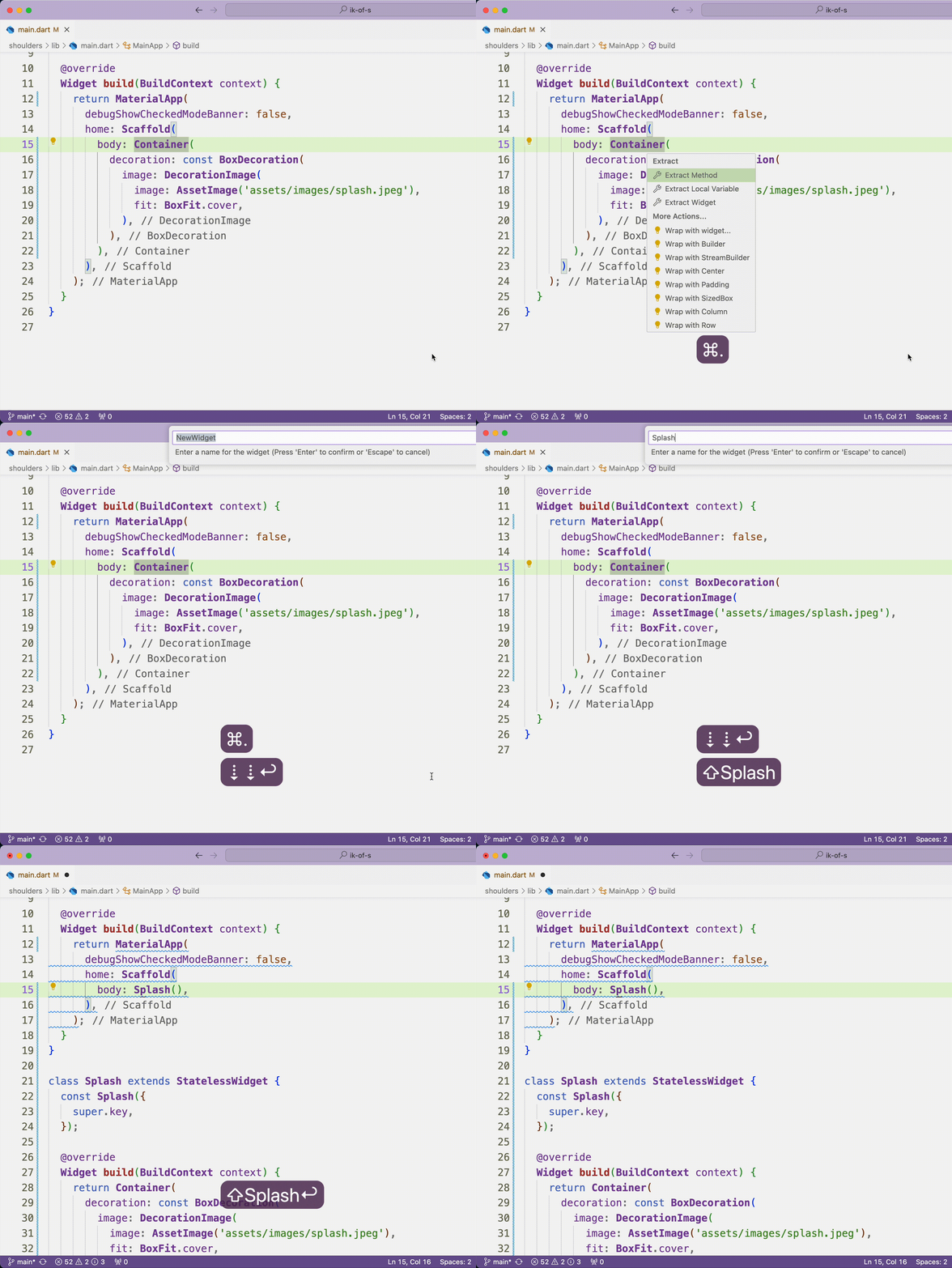
Move your cursor to the widget you want to reafactor and hit ⌘ + . to open the Quick Fix/Reafactor menu. Select Extract Widget
Step 4: Add an Icon
Adding an icon to the app
You will need the static asset file.You can download it here.
Step 5: Files
Refactoring the splash screen to use a separate file
See exact code changes made in this step here.